
Free Handwritten Bill Generator: Create Realistic Bills Online
Creating a neat bill for your customers should not take more time than serving them. Whether you run a small retail shop, grocery store, restaurant, repair service, home business or freelance business, a clear bill helps you record transactions and provide customers with a professional record of their purchases.
But what if you want the familiar appearance of a traditional handwritten bill without writing every item and calculating every amount manually?
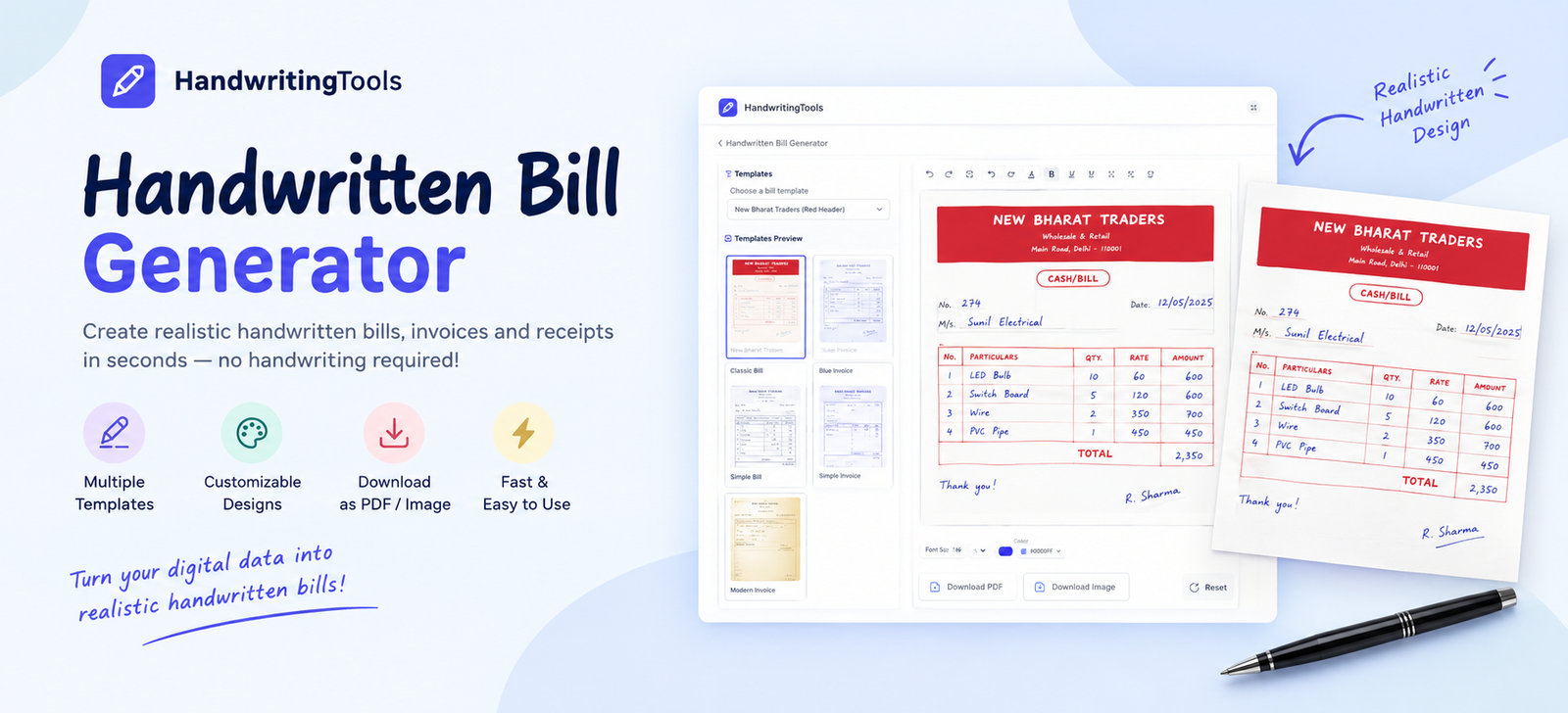
Meet the Free Handwritten Bill Generator by LeaveTrackr — a simple online tool that lets you create realistic handwritten-style bills, invoices, cash memos and receipts in minutes.
Choose a business-specific template, enter your details, customize the design and download your finished bill as a PDF, PNG or JPG. There is no sign-up, no watermark and no need to install billing software.
What Is a Handwritten Bill Generator?
A handwritten bill generator is an online tool that helps you create bills with the familiar appearance of a traditional bill book. Instead of writing everything by hand on paper, you enter your information digitally and generate a handwritten-style document.
It is useful for business owners who prefer the look of a manual bill but want a quicker way to prepare neat documents.
With the LeaveTrackr handwritten bill maker, you can create different types of business documents, including cash memos, sales bills, restaurant bills, hotel bills, rent receipts and freelancer invoices.
The tool combines the appearance of handwriting with the convenience of automatic calculations and digital downloads. You can edit the bill directly, adjust its contents and save a copy for printing or sharing.
Try it for free: https://leavetrackr.com/tools/handwritten-bill-generator/
Why Use an Online Handwritten Bill Maker?
Traditional bill books are familiar and easy to use, but writing each bill manually can become repetitive during a busy working day. Calculating quantities, prices, discounts and taxes also requires attention.
An online handwritten bill maker offers a practical alternative.
- Save time: Enter your business and transaction details instead of writing every line manually.
- Reduce calculation errors: Item amounts, totals and the amount in words update automatically as you edit the bill.
- Choose your preferred design: Select a bill book, ruled paper, old-paper style or another available template.
- Create different business documents: Choose from 36 bill types designed for different industries and purposes.
- Download and print: Save your document in PDF, PNG or JPG format.
- Work from your phone: Create bills using a mobile browser without installing an application.
- Get started immediately: The tool is free to use without registration or watermarks.
These features make the tool useful for people who want simple bill creation without committing to a complete accounting or invoicing system.
How to Create a Handwritten Bill Online for Free
You do not need advanced computer skills to prepare a bill. Follow these simple steps.
Step 1: Choose Your Bill Type
Open the Handwritten Bill Generator and select the option that best matches your business.
You can choose from categories covering food and beverages, retail shops, services and other common business needs. Options include grocery stores, restaurants, hotels, cafes, taxi services, repair businesses, tuition services, rent receipts and freelancer invoices.
Step 2: Select a Handwritten Bill Template
Choose a design that suits your requirements. Depending on the bill type, you can use styles such as a traditional bill book, ruled paper, carbon-copy layout, counter slip or old-paper design.
A suitable template helps your document look organized and familiar to customers.
Step 3: Enter Your Business and Customer Details
Click the text on the bill to edit it. Add your business name, contact details, bill number, date, customer information and other relevant details.
Enter the description of each product or service, quantity and rate. You can also add or remove item rows to match the transaction.
Step 4: Check the Total Amount
The generator calculates item amounts and updates applicable totals as you make changes. Depending on your settings, you can include discounts and tax details, and display the final amount in words.
Always review the figures, tax settings and transaction details before downloading the bill.
Step 5: Download or Print Your Bill
Once everything looks correct, download your document as a PDF, PNG or JPG. You can also print it directly.
PDF options include A4, A5 and thermal-printer sizes, making it easier to prepare documents for different printing needs.
That is it! You have a digital copy of your handwritten-style bill ready to keep, print or share with your customer.
Handwritten Bill Format: What Should a Bill Include?
A good handwritten bill format should be easy to read and contain the information relevant to the transaction.
Although the exact requirements vary by business and location, a typical bill includes the following details.
1. Business information: Name, address, contact number and applicable registration details.
2. Bill number and date: A unique bill or invoice number and the date of the transaction.
3. Customer details: The customer's name and other information required for the transaction.
4. Product or service details: A clear description of each item or service provided.
5. Quantity and rate: The quantity, unit price and amount for each line.
6. Subtotal, discount and taxes: Show applicable calculations separately so the customer can understand the final amount.
7. Grand total: Display the amount payable clearly, with the amount in words when appropriate.
8. Payment details and signature: Include the payment method, signature, stamp or relevant business terms when needed.
The LeaveTrackr tool provides templates with fields suited to different bill types, helping you organize these details without starting with a blank page.
What Is a Kacha Bill or Manual Bill Format?
In India, the terms kacha bill and manual bill are commonly used to describe informal bills prepared using a traditional bill book or handwritten layout.
Small retailers, local shops, traders and service providers may prefer this familiar format because it resembles the documents they have used for years.
A kacha bill format commonly contains the shop name, bill number, date, customer details, product descriptions, quantities, rates and total amount.
A cash memo is another common document used to record a sale. The appropriate format depends on the transaction and the business's legal and tax obligations.
If you are searching for a manual bill format, kacha bill format or bill book format, the LeaveTrackr generator can help you prepare a customizable handwritten-style version online.
Remember that a traditional appearance does not determine whether a document meets legal or tax requirements. The actual contents and applicable rules matter.
Who Can Use This Handwritten Bill Generator?
The tool is designed for a range of businesses and practical use cases.
Shopkeepers and Retailers
Grocery shops, kirana stores, clothing stores, electronics retailers, hardware shops and wholesalers can create sales bills and cash memos using relevant templates.
Restaurants, Cafes and Hotels
Food businesses can prepare restaurant bills, while accommodation providers can use hotel bill templates to organize guest and service details.
Freelancers and Independent Professionals
Designers, photographers, consultants and other independent professionals can create handwritten-style invoices for their services.
Repair and Other Service Businesses
Mechanics, laundry services, taxi operators, contractors and other service providers can use business-specific formats to record their work and charges.
Landlords, Tutors and Home Businesses
Rent receipt templates can help landlords document genuine rent payments. Tutors and home-based businesses can also use relevant bill or receipt formats for their transactions.
Students and Designers
The generator can be used for learning, demonstrations, design mockups and creative projects where a realistic-looking bill layout is needed.
Handwritten Bill vs. Computer-Generated Bill
A handwritten bill is traditionally completed by writing details on paper. A computer-generated bill is produced digitally, usually through billing or accounting software.
Both approaches have advantages.
A traditional handwritten bill may feel familiar to customers and can suit businesses that prefer a bill-book appearance. Computer-generated documents make editing, calculation and digital recordkeeping easier.
The LeaveTrackr handwritten bill maker combines aspects of both. You enter information digitally, benefit from automatic calculations and generate a document with a handwritten-style appearance.
It is a convenient option when you want a simple bill without the complexity of a full business management system.
However, businesses with accounting, inventory, e-invoicing or regulatory requirements may need dedicated billing software in addition to this tool.
Tips for Creating Clear and Professional Bills
A well-prepared bill helps customers understand what they are paying for. Keep these practices in mind.
- Use the correct business name and contact information.
- Assign a unique bill number and enter the correct date.
- Describe products and services clearly rather than using confusing abbreviations.
- Verify quantities, rates, discounts and totals.
- Include tax details only when applicable and use the correct rates.
- Add payment information and relevant terms where necessary.
- Keep copies of genuine business transactions for your records.
- Review the downloaded document before printing or sending it.
For tax invoices, confirm that your document contains all information required by the rules applicable to your business. Some businesses must use prescribed electronic invoicing systems, so a handwritten-style document may not meet every requirement.
Is the LeaveTrackr Handwritten Bill Generator Free?
Yes. The tool is available for free, with no account registration and no watermark on the generated downloads.
You can choose from its available bill types and templates, edit your document, use automatic calculations and download the result as a PDF, PNG or JPG.
The generator works in your browser, so you can use it on a compatible phone or computer without installing dedicated software.
It is a useful starting point for small businesses and individuals who need a straightforward way to create handwritten-style documents.
Create Your First Handwritten Bill Today
You do not need to spend time searching for a bill format in Word or maintaining formulas in Excel just to prepare a simple handwritten-style bill.
With the LeaveTrackr Free Handwritten Bill Generator, you can choose a suitable template, enter your details, review the calculations and download a document in minutes.
Whether you need a cash memo for a shop, a bill for a service, a restaurant bill, a rent receipt or a freelancer invoice, start with a template that fits your requirements.
Ready to create your bill?
Visit https://leavetrackr.com/tools/handwritten-bill-generator and try the free online bill maker today.
Important: Use the tool to document genuine sales, services and payments belonging to your business, or for practice and clearly identified mockups. Do not create or alter bills to misrepresent transactions or support false reimbursement, insurance or tax claims.